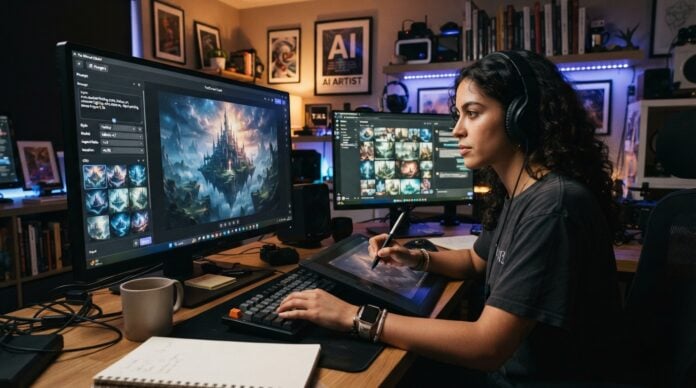
Photo editing has traditionally been a process of adjusting sliders, selecting objects, creating masks, correcting colours and moving between different tools to achieve a specific result. While professional software gives experienced users remarkable control, even a relatively simple edit can require several steps.
Artificial intelligence is changing that workflow. Instead of manually identifying an object or carefully painting over part of an image, users can increasingly describe what they want in ordinary language and let an AI model handle much of the technical work.
This shift is particularly visible with Google’s latest generation of image models. Nano Banana began as the nickname for Gemini 2.5 Flash Image, a model designed for both image generation and editing. Google later introduced Nano Banana 2, based on Gemini 3.1 Flash Image, with improvements in speed, instruction following, visual quality and consistency.
For people exploring conversational image editing, a Nano Banana 2.5 photo editing tool represents an interesting development in how everyday users can approach creative work. Rather than thinking about editing as a collection of technical commands, users can think in terms of the result they want.
From Manual Editing to Conversational Editing
Traditional photo editing software works through a visual interface. A user might select a brush, choose a layer, adjust exposure, create a mask and refine the edges around a subject. These controls provide precision, but they also require familiarity with the software.
AI-powered editing introduces another approach: conversation.
A user can upload an image and describe a desired change, such as removing an unwanted object, changing the background, adjusting lighting or modifying an element while keeping the rest of the photograph intact. Gemini’s current image-editing documentation specifically supports uploading an existing image and asking the model to make changes to it.
This does not necessarily eliminate traditional editing. Instead, it creates another layer between the user’s idea and the final image.
For beginners, that can make experimentation much easier. For experienced creators, it can reduce the amount of repetitive work involved in preparing an image.
What Makes AI Photo Editing Different?
The biggest difference is that modern image models can interpret both visual information and written instructions.
Earlier automated editing tools were often designed around narrowly defined functions. A tool might remove red-eye, brighten a face or automatically enhance an image. Generative AI takes a broader approach by interpreting the relationship between objects, people, backgrounds, lighting and composition.
Google describes Nano Banana 2 as supporting local edits, improved instruction following, character consistency and better text rendering. The model can also work with multiple images and combine visual ideas into a new result.
Consider a simple travel photograph. A traditional workflow might require manually selecting the sky before replacing it. With an AI editor, the instruction could instead describe the desired change: replace the cloudy sky with a dramatic sunset while keeping the buildings, people and overall composition unchanged.
The quality of the result still depends on the image and the instruction, but the interaction is considerably more natural.
More Precise Changes Without Starting Over
One of the most useful applications of generative editing is making a small change without rebuilding an entire image.
For example, imagine a family photograph where one person’s eyes are closed. An AI editing model may be able to modify that specific detail while preserving the surrounding scene.
Google has previously demonstrated what it calls “pixel-perfect editing” with Nano Banana, where users can request changes to individual elements while leaving the rest of an image largely untouched. Examples include changing an object’s colour, adjusting a small detail or modifying part of a composition.
This approach is useful because many real-world editing tasks are not about completely transforming a photograph. They are about fixing something small.
A photographer might want to remove a distracting object. A business owner might need to change the colour of a product in a promotional image. A homeowner could experiment with different furniture or wall colours. A social media creator might want to adapt an existing photograph for a different visual concept.
These tasks can often be expressed more naturally as instructions than as a sequence of technical commands.
Maintaining Consistency Matters
One of the longstanding challenges in AI image generation has been consistency.
Generating a person once is relatively straightforward. Generating that same person repeatedly while preserving their appearance, clothing details and recognizable characteristics is more difficult.
Newer models are designed to address this problem. Google says Nano Banana 2 can maintain subject consistency across multiple generated images and can preserve the appearance of multiple characters and objects within a workflow.
This has practical applications beyond simple photo editing.
A content creator could use a consistent character across several illustrations. A small business could experiment with different product settings while retaining the appearance of the product. A marketing team could develop several visual concepts without recreating the subject from scratch every time.
Consistency is particularly valuable when images are being used as part of a larger campaign, story or brand identity.
Restoring Older Photographs
AI image editing is also opening new possibilities for photographs that were never created digitally.
Old photographs can contain scratches, fading, stains, low contrast and other forms of deterioration. Conventional restoration can be time-consuming, particularly when extensive manual retouching is required.
Generative image models can assist with some restoration tasks by interpreting damaged areas and reconstructing missing visual information. Google’s demonstrations of Nano Banana have included restoration and colourization of older black-and-white photographs.
However, restoration should be approached carefully.
An AI system may generate plausible details that were not actually present in the original photograph. That distinction matters when working with historical family photographs, archival material or documentary images.
For creative restoration, generated details may be acceptable. For historical preservation, maintaining a clear distinction between original information and AI-generated reconstruction is much more important.
Product Photography and Online Businesses
Small businesses are another group that can benefit from AI-powered image editing.
Professional product photography can be expensive. It may require suitable lighting, backgrounds, props, studio space and multiple shooting sessions.
Generative editing can help businesses experiment with visual presentation after the original photograph has been captured.
A product photographed against a simple background could potentially be placed into a more suitable environment. Lighting and surrounding elements can be adjusted to create different concepts for advertisements, websites or social media.
This is particularly useful during the early stages of a campaign. Instead of commissioning several separate photoshoots simply to test creative ideas, a business can explore different visual directions digitally.
That does not mean AI-generated product images should replace accurate product photography in every situation. Customers still need to understand what they are actually buying. Significant alterations to a product’s size, colour, materials or features could create misleading representations.
The most useful role for AI is often helping teams explore ideas while keeping the final presentation honest.
Creating Social Media Content More Quickly
Social media creators constantly need new visual material. The challenge is not always coming up with ideas; it is producing those ideas efficiently.
AI editing can turn an existing photograph into multiple variations. A creator might request a different background, lighting style, composition or visual treatment without recreating the original image from scratch.
Nano Banana 2 is designed for rapid image generation and editing, with support for different aspect ratios and resolutions. Google says the model supports outputs ranging from smaller resolutions through 4K, depending on the workflow and implementation.
This flexibility matters because online platforms use different formats. A single concept might need to become a square post, vertical story, portrait advertisement and wide banner.
Rather than treating each format as a completely separate design project, creators can use AI-assisted workflows to explore variations more efficiently.
Better Results Start With Better Instructions
Although AI editing can understand natural language, vague instructions can still produce disappointing results.
A useful prompt should clearly explain three things: what should change, what should remain unchanged and what the desired result should look like.
For example, instead of writing:
“Make the photo better.”
A more useful instruction might be:
“Replace the background with a quiet modern café, keep the person and their clothing unchanged, preserve natural facial features, and match the new lighting to the original photograph.”
The second instruction provides context and boundaries.
Google’s own guidance recommends describing the subject, action, background and desired visual style when creating or editing images.
Users should also work iteratively. Rather than attempting ten changes in one complicated instruction, it can be easier to make one or two changes at a time and evaluate the result.
AI Editing Still Has Limitations
Despite its progress, generative photo editing is not perfect.
AI models can misunderstand instructions, alter details that were supposed to remain unchanged or introduce visual inconsistencies. Small text, unusual objects, hands, reflections and complicated scenes can sometimes be challenging.
There are also important questions surrounding privacy and ownership.
Users should think carefully before uploading sensitive photographs, private documents or images containing other people. Google’s Gemini documentation also reminds users that generated content must be considered in light of copyright, privacy and other applicable rights.
Another issue is authenticity.
As AI-generated and AI-edited images become more realistic, viewers may find it increasingly difficult to distinguish an original photograph from a generated or substantially modified one. For journalism, historical documentation, advertising and other sensitive contexts, transparency can therefore become just as important as image quality.
The Future of Photo Editing
The long-term importance of AI image editing may not be a single feature or model. The larger change is the gradual movement from software-centered editing toward intention-centered creation.
Instead of asking, “Which tool should I use?” users can increasingly ask, “What do I want this image to become?”
That change could make advanced visual editing accessible to people who have never learned professional design software. At the same time, experienced photographers and designers can use AI to automate repetitive tasks while retaining creative control over the final result.
Nano Banana 2 is part of that broader transition. Its combination of natural-language editing, subject consistency, improved instruction following and high-quality image generation demonstrates how quickly AI-assisted visual workflows are developing.
The most valuable use of these tools may ultimately be less about producing spectacular AI images and more about solving ordinary creative problems quickly.
Whether someone is repairing an old family photograph, testing a product concept, preparing social media content or simply experimenting with a new visual idea, conversational editing provides a different way to work with images.
Conclusion
AI photo editing is moving beyond simple automatic enhancements. Modern models can understand images, interpret natural-language instructions and make targeted changes while attempting to preserve the important elements of the original photograph.
That makes tools built around models such as Nano Banana increasingly relevant to photographers, marketers, designers, creators and everyday users.
The technology is still developing, and responsible use remains essential. AI-generated edits should be checked carefully, particularly when accuracy, authenticity or personal privacy matters.
Used thoughtfully, however, conversational image editing can make visual experimentation faster and more accessible. The future of photo editing may not require users to master every technical control. Instead, it may increasingly depend on how clearly they can describe the image they want to create.

