
Ever wonder if outdated testing methods are slowing your project down? Cypress automation gives your workflow a fresh boost with its quick feedback and clear, intuitive design that speaks the language of your app. With features like smart retries, which automatically retests parts that don’t pass initially, and live insights that provide instant, real-time feedback, testing shifts from a tedious chore to a powerful tool.
In essence, this guide shares practical testing tips to keep your code running smoothly while cutting down on annoying delays. Ready to see how Cypress can streamline your development process and supercharge your projects?
Cypress Automation Fundamentals: Overview and Benefits

Cypress is a cool, open-source testing tool built with JavaScript that even talks the same language as your app. It blends in effortlessly with popular tech like React and Angular, making it perfect for projects that need both speed and clear test results. Its clever design lets tests interact directly with your app, so you end up with clean, efficient test scripts.
One neat trick with Cypress is its built-in retry feature, it automatically reattempts a failed check to smooth out any hiccups. Plus, you can choose how to run your tests: either in a visible browser window (headed mode) or quietly in the background (headless mode). This flexibility not only makes testing easier but also cuts down on maintenance while boosting reliability.
- Makes asynchronous tasks a breeze with smart dynamic waits
- Offers live insights with its interactive Test Runner
- Gives you the choice between running tests visibly or behind the scenes
- Lessens test flakiness by auto-retrying when things go wrong
- Integrates easily with well-known front-end frameworks
When you compare Cypress with older testing tools, the difference is clear. Traditional methods often need multiple tools and workarounds just to get similar results, but Cypress puts everything into one seamless package. This modern setup not only speeds up development but also delivers a sturdier verification process in today’s fast-changing tech world.
Setting Up Your Cypress Automation Environment

Before you dive into your Cypress project, make sure Node.js and npm are ready on your computer. These tools help you grab all the little bits Cypress needs. This guide will take you from the project’s starting line to a fully set-up environment. It explains how to arrange your folders, like cypress/fixtures, cypress/integration (or e2e), cypress/plugins, and cypress/support, so you can keep your tests neat and easy to find. Plus, you’ll learn how to run tests both in a browser window where you can see everything happening and in headless mode when you need things to run in the background for continuous testing.
- First, open your terminal in the project’s main folder and run "npm init".
- Then, install Cypress by typing "npm install cypress –save-dev".
- Next, set up the folder structure: create folders for cypress/fixtures, cypress/integration (or e2e), cypress/plugins, and cypress/support.
- To see the tests run with a visible interface, use "npx cypress open".
- If you prefer tests to run quietly in the background, run "npx cypress run –headless".
- Finally, adjust your cypress.config.js file to manage browsers and environment variables according to your needs.
This approach gives you a neat and flexible testing setup. Managing environment variables in cypress.config.js makes it a breeze to switch between different testing setups. And by using headless mode, you can speed up your test runs, especially handy when you’re automating everything in a continuous integration pipeline.
Writing Your First Cypress Automation Test Scripts

When you start with Cypress, it’s best to stick to clear file rules and import guidelines. Save your test scripts as .cy.js files inside the cypress/e2e folder. Cypress uses Mocha and Chai for testing, think of them as your familiar toolkit that keeps tests neat and team collaboration smooth.
First, head over to your page using cy.visit('/login'). Then, pick elements reliably with cy.get('#username') or a similar selector. Instead of cy.wait(), you can trust the automatic waiting mechanism by chaining .should(). And, simulate a user clicking a button with cy.get('button').click(). Finally, confirm that everything worked by checking that cy.url() includes '/dashboard'.
Running just one test is a breeze. Simply run npx cypress run –spec "cypress/e2e/login.cy.js" from the command line. This lets you zero in on one test at a time and even tweak runs with extra flags or options. It’s all about streamlining the process so you can catch issues quickly and keep your test suite modular and easy to read.
Best Practices for Cypress User Interface Automation

When you’re testing a website with Cypress, you want your scripts to act as real users would. Instead of waiting for set times, let Cypress use dynamic commands like .should() to check if things are working as expected. This way, your tests feel natural and true to what actually happens on the screen. And when tests mimic real user flows, it’s easier to spot issues and update them as your app grows, giving you peace of mind as you integrate with continuous delivery tools.
Some practical tips to keep your tests running smoothly:
- Use dynamic waits so the page has time to settle on its own
- Design your tests in small, modular pieces that reflect actual user behavior
- Keep your assertions clear to avoid false alarms
- Stick with consistent naming to make future changes easy
- Integrate your tests into your CI pipelines for quick feedback
- Embrace agile testing cycles to continuously improve your methods
It’s smart to periodically review and refine your testing approach. New insights, live feedback, and lessons learned can fine-tune your test suite, making it both adaptable and robust. In short, these good practices help reduce maintenance headaches and let you catch potential issues quickly, all while keeping your UI automation effective and in tune with real user interactions.
Advanced Cypress Automation Techniques and Extensions

Harnessing Cypress’s powerful features is a game changer for sharpening your automated tests. It lets you mimic real user actions and take control of API responses, making your testing more accurate. Using cy.intercept() along with spies, stubs, or clocks is like having a watchful eye on every API call, catching even the smallest hiccups.
Another cool trick is data-driven testing. By looping over fixtures with various test data, you cover every possible scenario your app might face. This way, you’re sure nothing slips by unnoticed.
And here’s something neat: custom tasks in your plugins/index.js file let you run live database queries and validations. In simple terms, you keep your app’s data rock-solid while adapting to changing demands. It’s like giving your tests a turbo boost!
| Technique | Use Case |
|---|---|
| Spies & Stubs | Keep an eye on API calls and simulate responses |
| Network Intercept | Control API responses using cy.intercept() |
| Data-Driven Loops | Run multiple tests using fixtures |
| DB Validation | Check database integrity with custom tasks |
Next up, think about performance testing as your scenarios grow. Tools like cypress-performance can mimic busy times, so you see firsthand how your app handles high traffic. Stress testing with Cypress lets you simulate heavy loads to ensure your app stays steady even when the pressure’s on.
By adopting these advanced methods, you not only boost your app’s reliability but also gain the tools to quickly troubleshoot issues. It’s all about staying agile, secure, and ready for anything in today’s fast-paced digital world.
Integrating Cypress Automation into CI/CD Pipelines

Integrating Cypress into your continuous integration and deployment pipeline makes testing feel effortless. It helps you check your app in a variety of environments and browsers, offering speedy feedback that keeps your development on track. Imagine running tests in parallel with the –parallel CLI flag, this means several tests run at once, speeding everything up. Plus, storing API keys as environment variables with cloud tools like TestGrid or BrowserStack means you can secure your settings without breaking a sweat. And when you tweak your cypress.config.js file to cover browsers like Chrome, Firefox, and Edge, you boost your test reach even more. Integrations with tools like SauceLabs or LambdaTest add extra power for cross-browser checks, adapting smoothly to any changes in your development flow.
- Turn on parallel execution with the –parallel CLI flag.
- Use environment variables to manage API keys on cloud platforms.
- Adjust cypress.config.js to test on multiple browsers.
- Link up with SauceLabs or LambdaTest for extra cross-browser validation.
- Keep an eye on test results and fine-tune your settings based on CI feedback.
Follow these steps and you’ll streamline your testing process, shave off release cycle times, and build up trust in your app’s performance no matter where it’s running.
Extending Cypress Automation with Plugins and Customization

Cypress has a vibrant community that loves sharing plugins to boost your testing routine. Developers often head over to the official Cypress plugin directory where you'll discover handy extensions for reporting, accessibility, and performance. These tools not only save time but also help you set up smoother test workflows with minimal hassle.
Many teams even develop their own plugins using the plugins/index.js file to add background tasks or fine-tune configuration settings for their specific projects. The community’s ideas often turn into practical fixes, making it easier to keep your test code organized with Git. A modular setup opens the door for scalability and adaptability in today’s fast-moving development environment.
- Custom reporters
- Performance monitors
- Accessibility checkers
- DB connectors
- Visual testing tools
Tech teams often adopt patterns like the Page Object Model or custom commands to avoid repetition and make test scripts crystal clear. Breaking tests into smaller, modular pieces means maintenance is simpler and scaling your application feels less daunting. By using community-built tools and following best practices for plugin development, you set a strong base for a test suite that grows as your app does. This approach gives you a clear path to handle scalability challenges while keeping your testing process efficient and streamlined.
Debugging and Troubleshooting Cypress Automation
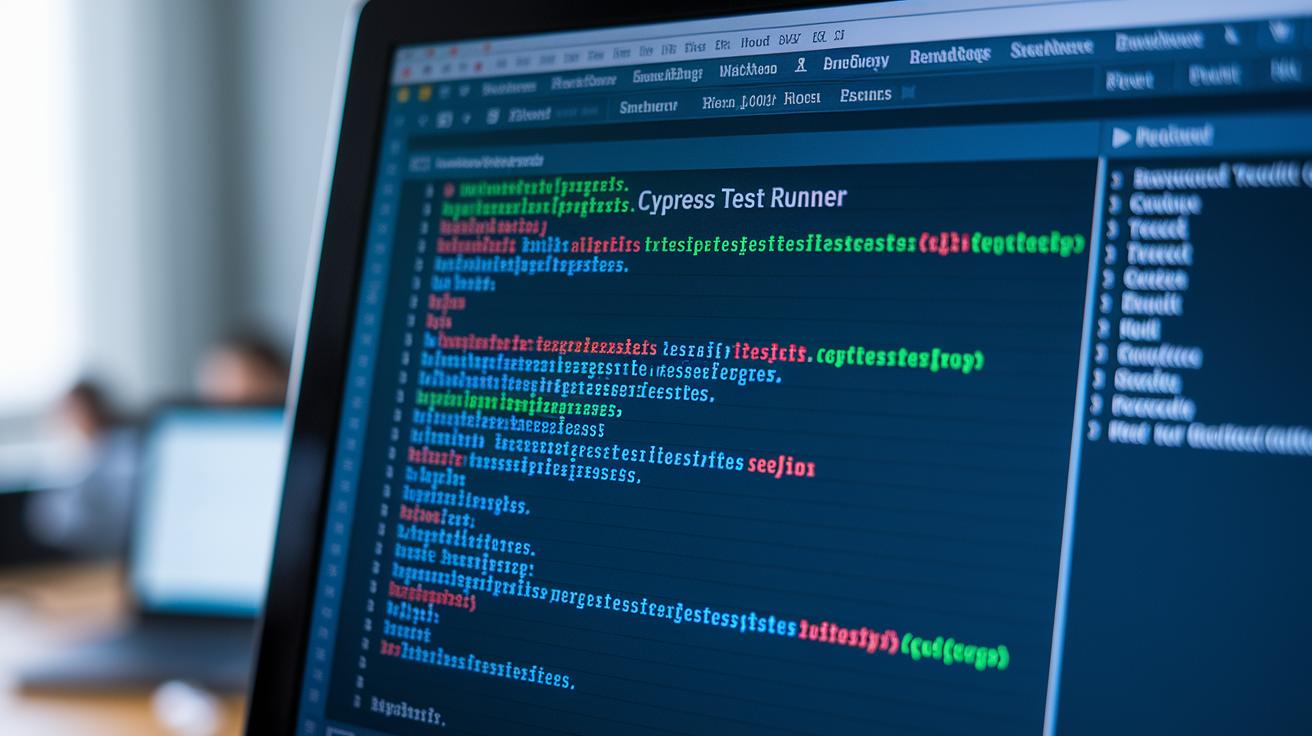
Cypress gives you a cool set of tools to step through tests as they run. The Test Runner’s Command Log displays every command live, so you know exactly what’s happening. You can pause your tests with cy.pause() to freeze execution right when something feels off, and the JavaScript debugger lets you drop into troubleshooting mode. Plus, when a test stumbles, Cypress automatically snaps screenshots and shoots video clips to capture the moment.
- Use cy.pause() to hold the test when an error pops up.
- Call on the JavaScript debugger so you can dive into interactive problem-solving.
- Check out the Command Log to see each test step-by-step.
- Look over the automatic screenshots from failed tests.
- Review console logs to spot error messages or network hiccups.
- Rerun tests in headed mode to visually check out how your app behaves.
When tests fail, you might run into issues like selector mismatches, timing glitches, or network delays. It helps to verify that your network stubs are working correctly and that asynchronous tasks finish on time. Especially in continuous integration setups, where you might not see visual cues, running tests in a visible browser mode can uncover glitches that remain hidden in headless runs.
These troubleshooting tactics let you quickly find and fix problems, ensuring your test runs are smoother and more reliable.
Resources, Training, and Career Paths in Cypress Automation

Mastering Cypress automation is all about diving into structured learning. It’s the secret to building a solid tech foundation and moving ahead in quality assurance. Start by checking out the official Cypress docs and free interactive tutorials on community blogs. These resources give you real-world examples while you explore how modern testing frameworks work.
Then, try hands-on courses that introduce you to JavaScript test tools (basically, the essentials for testing web apps) and the ins and outs of end-to-end testing. This practical training gets you ready for the rising need for automation engineers. And with the tech industry always on the move, these learning paths help you discover remote work, certification programs, and varied career routes.
Many training resources come loaded with practice exercises, sample code, and projects that mimic common testing scenarios. Plus, using online tools for salary checks and job trends can guide your decisions, especially when experienced test engineers earn between $70k and $110k. Investing in these courses not only sharpens your technical skills but also ramps up your interview prep, giving you that competitive edge in the job market.
- Official Cypress documentation and code samples
- Free interactive tutorials on the Cypress website and community blogs
- Cypress.io certified course
- Udemy E2E testing classes
- Certification programs for JavaScript test tools
- QA job boards for automation roles
- Salary benchmarking guides for test engineers
- Online interview preparation courses for testing roles
Using these resources is like laying stepping stones toward Cypress automation mastery. Each training option helps you polish your skills and get interview-ready, paving the way for a thriving career in quality assurance within the dynamic tech world.
Final Words
In the action, we walked through the fundamentals of Cypress automation, from setting up your environment and writing test scripts to applying best practices and advanced techniques. Each section offered a clear breakdown of methods, providing a hands-on guide that blends technical insights with everyday ease.
We also explored integrating tests into CI/CD pipelines and troubleshooting common issues. Embracing Cypress automation has provided a smoother, more efficient way to keep your digital efforts on track. Stay inspired and keep testing!
FAQ
What is Cypress automation?
The question “What is Cypress automation?” explains that Cypress automation is a JavaScript-based, open-source framework for end-to-end web testing. It automates browser tests and retries failed assertions to reduce flakiness.
How does Cypress compare with Selenium?
The question “How does Cypress compare with Selenium?” shows that Cypress is simpler and faster, with built-in automatic waiting and modern JavaScript design. Selenium offers broader language support but may require more setup.
What language is used in Cypress automation?
The question “What language is used in Cypress automation?” reveals that Cypress tests are written entirely in JavaScript, which makes them easy to integrate if you already work in web development.
Is the Cypress automation tool free?
The question “Is the Cypress automation tool free?” indicates that Cypress is an open-source framework, offering its core testing features for free, while some advanced, enterprise-level add-ons might require payment.
Where can I find Cypress tutorials and courses?
The question “Where can I find Cypress tutorials and courses?” means you can access a range of free online tutorials, interactive guides, and paid courses through the official Cypress site and trusted learning platforms.
Can you give an example of Cypress automation?
The question “Can you give an example of Cypress automation?” illustrates a test that visits a login page, fills in user credentials, clicks the login button, and verifies successful navigation by checking that the URL includes a specific route.
What types of interview questions are asked in Cypress automation roles?
The question “What types of interview questions are asked in Cypress automation roles?” implies interviews often cover JavaScript fundamentals, test structuring, usage of built-in retry-ability, and how Cypress integrates with modern web frameworks.
What are the prospects for Cypress automation jobs?
The question “What are the prospects for Cypress automation jobs?” highlights that there is growing demand for professionals skilled in testing modern web applications using Cypress, with many opportunities in tech companies looking to improve UI testing efficiency.

